Termux: Combine Ctrl+b into a Single Key for tmux
Published on 8/11/2026
As you know, I use Termux to work. I’m also a big fan of tmux. But there’s one issue: constantly having to press Ctrl then b is really annoying. After digging around for a while, I finally found a solution.
Termux macro
It turns out that in ~/.termux/termux.properties you can configure a row of buttons right above the virtual keyboard:
extra-keys = [ \
  ['ESC','/','-','HOME','UP','END','PGUP'], \
  ['TAB','CTRL','ALT','LEFT','DOWN','RIGHT','PGDN'], \
  [{macro: 'CTRL b', display: 'C-b'}] \
]
Each item of extra-keys is a row, and each item within it is a button:
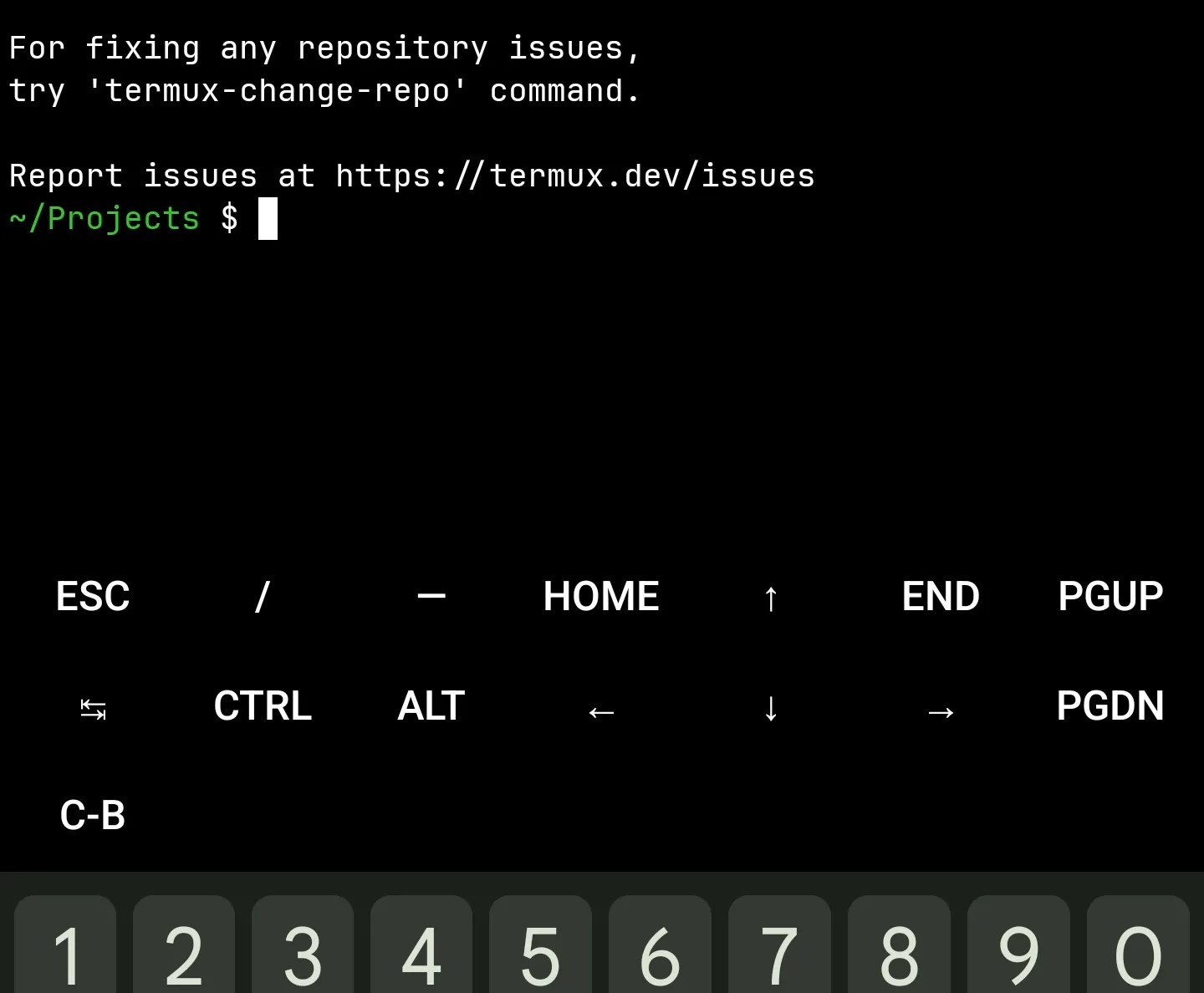
Remember to also run this to apply the change:
termux-reload-settings